The Forgotten Corner Glow-Up
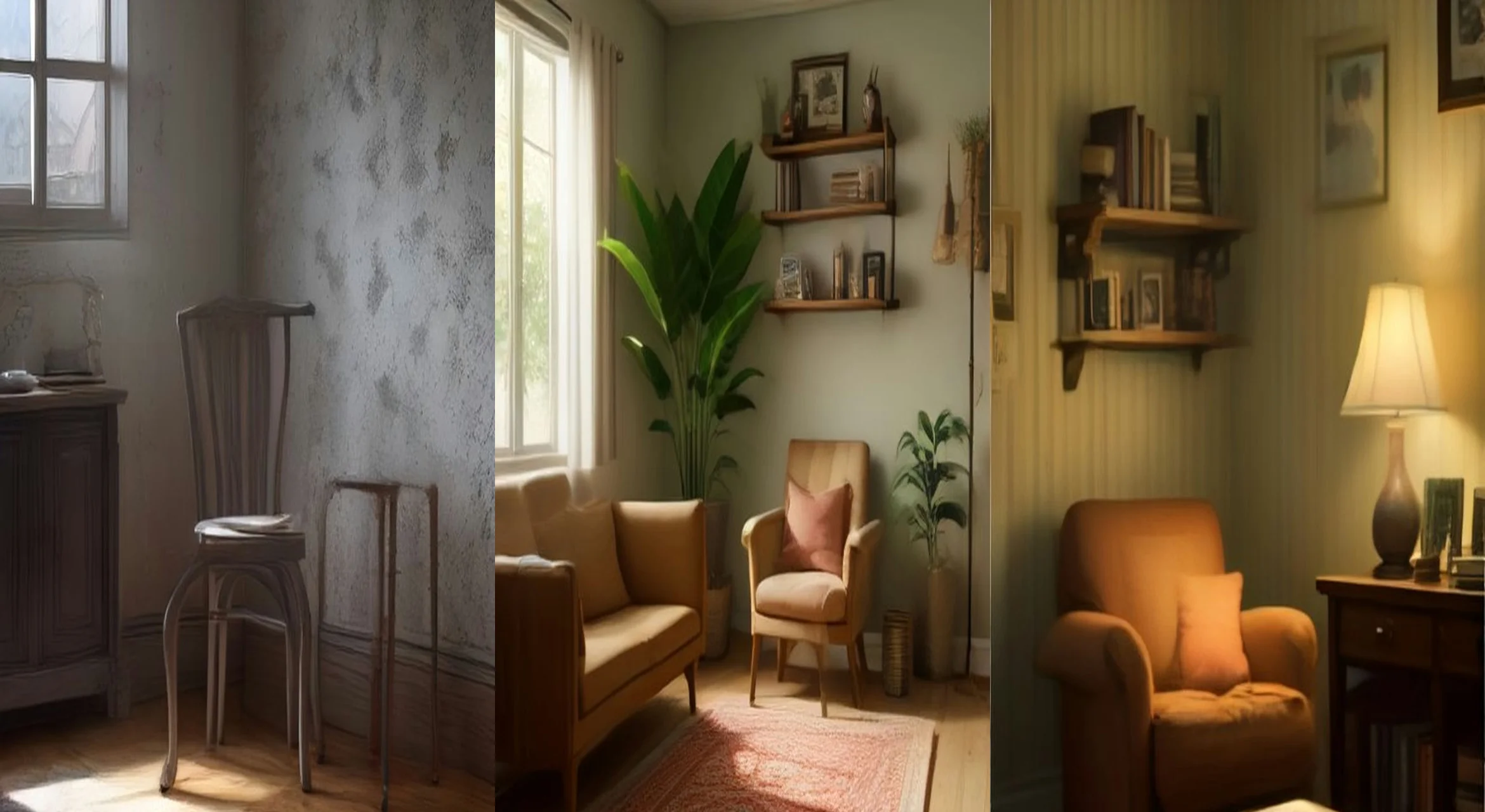
The saddest dusty corner in the house becomes the coziest reading nook in the room — an empty-space → function → décor → lighting arc made for before/after addicts. Copy the full master prompt below and paste it into Google Flow, Veo, Kling or any AI video generator. It includes the start frame, timed video direction, sound and a negative prompt — everything needed to recreate the format.
The master prompt
START FRAME (image): A bare, dusty corner of a living room: one scuffed chair, a cobweb in the angle of the walls, flat grey light, nothing else, photorealistic wide shot.
VIDEO (9:16, 12 seconds): 0–4s — the corner is swept clean, a woven rug rolls out, a small wooden shelf is mounted on the wall (hands only, brisk and tidy). 4–8s — cushions land on the chair, a leafy plant, a small stack of books and a framed print complete the nook. 8–12s — a lamp clicks on and pools golden light over the chair; steam curls from a mug on the shelf; the camera settles into the cozy scene and rests.
SOUND: soft room tone, broom sweeps, fabric rustle, the lamp click, one quiet page turn.
NEGATIVE: clutter or mess, warped furniture, people sitting in the chair, floating objects, text, logos, watermarks.
How to use this prompt
Frequently asked questions
Do I need a photo to use the The Forgotten Corner Glow-Up prompt?
No. This is a text-only prompt — copy it into your AI video tool exactly as written. If you want a locked-in opening frame, generate a still from the start-frame description first, then run the same text as an image-to-video clip.
Which AI video tools does this prompt work with?
Any modern AI video generator — Google Flow (Veo), Kling, Runway or Luma. Paste the full prompt, set a vertical 9:16 frame and a 12-second duration, and generate. The timed beats, sound notes and negative prompt are written to work as-is in all of them.
Can I use a photo of my own room corner as the start frame?
Yes — that is one of the best ways to run this prompt. Upload a wide photo of your emptiest corner, keep the master prompt unchanged, and the build arc will play out inside your real room. The plainer and dustier the starting photo, the stronger the contrast with the finished nook.
Related prompts
The Cardboard Castle Build
A pile of dull cardboard boxes becomes a glowing fairy-tale play castle in one build arc — raw → craft → lights-on reveal, the exact transformation pattern topping the trend charts.
DIY TransformationsThe Bottle-Cap Chandelier
A jar of saved bottle caps becomes a glowing chandelier — the "light-on reveal" is the whole payoff, held back until the final seconds.
Dream HomeDream Home Reveal
A luxury glass villa at twilight, its rooms blooming alight one by one as a slow drone orbit catches the sunset in the infinity pool.